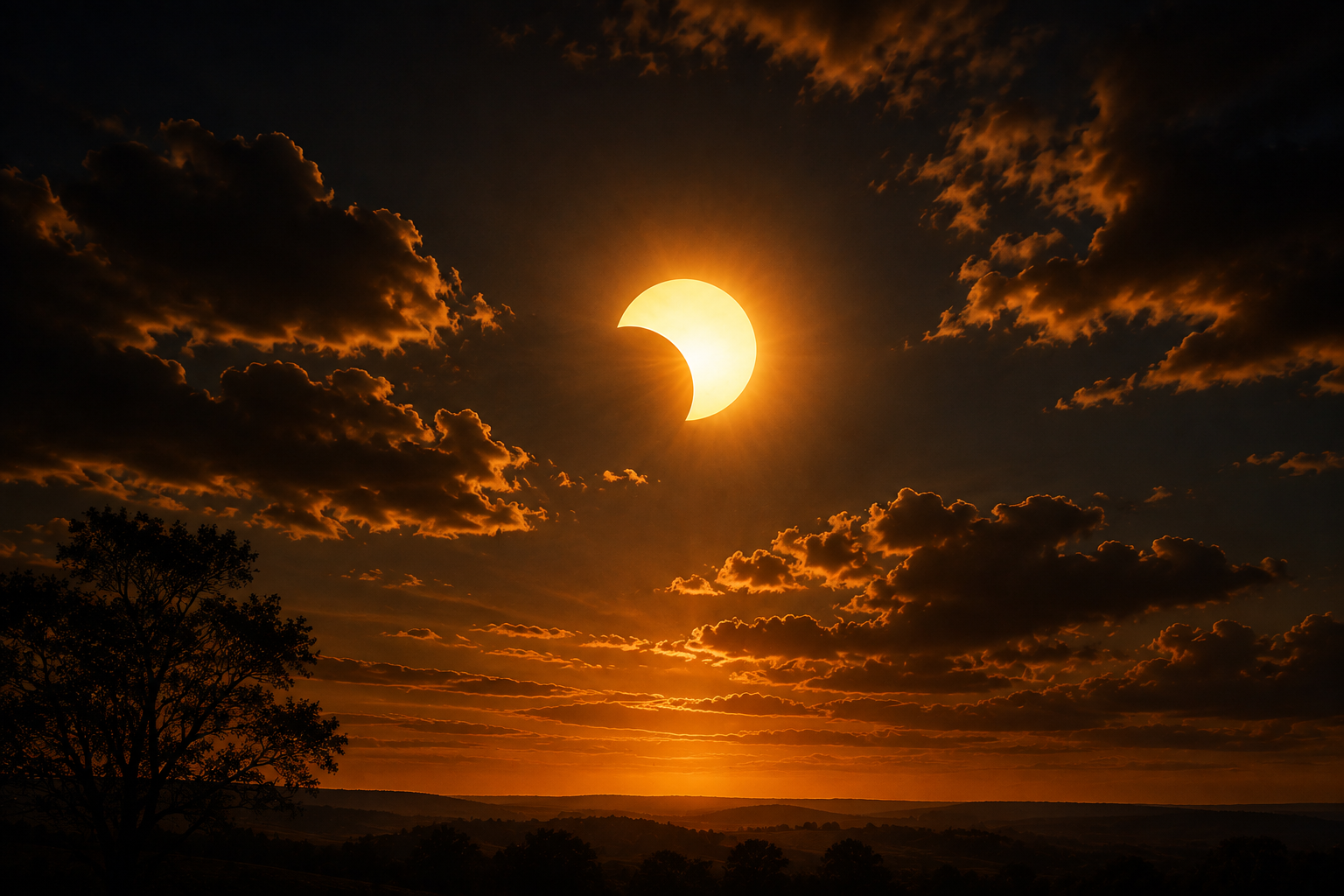
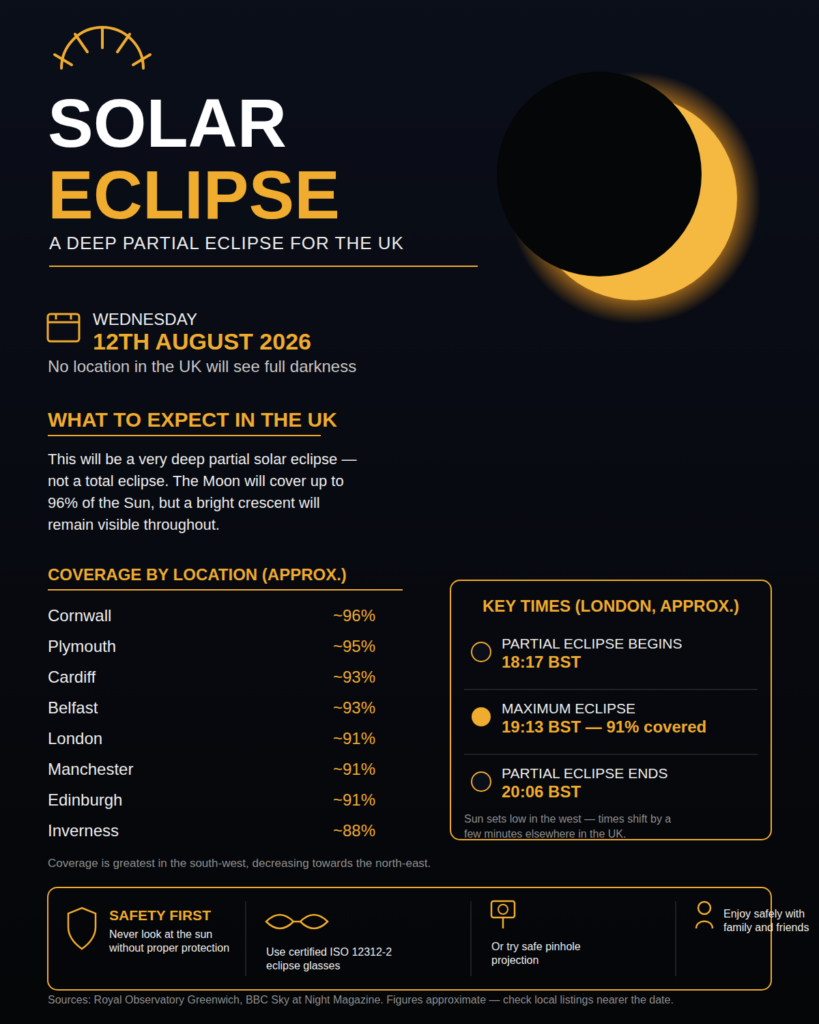
This time, the sky is giving us something special: a total solar eclipse on August 12, 2026. Totality sweeps across Greenland, Iceland, and northern Spain, while a deep partial eclipse will be visible across the UK, much of the rest of Europe, North Africa, and North America. Coverage across the UK will be substantial; around 90% in London, and up to 95% in Cornwall. Unlike 1999, no part of the UK sits inside the path of totality this time, so it’ll be a striking, memorable eclipse, but it won’t go fully dark anywhere in the UK.
In 1999, full darkness only happened in a narrow band across Devon and Cornwall, where the path of totality actually crossed the UK. Step outside that strip, even by a short distance, and it was a different experience entirely: a very deep partial eclipse, dramatic but nowhere near full darkness. That line between total and partial made all the difference in 1999, and it’s worth knowing about, because the same distinction matters again this year.
To put 1999 in perspective: it was only the second total solar eclipse to touch mainland Britain in the 20th century. The one before it was on 29th June 1927, when totality swept across North Wales and northern England; Criccieth to Hartlepool, with Giggleswick in Yorkshire among the best-known viewing spots. It lasted barely 24 seconds and was mostly rained out, but that didn’t stop a quarter of a million people travelling to see it, since Britain hadn’t had a total eclipse since 1724. So by the time 1999 came around, genuine totality on home soil was a once-in-several-generations event, and it will be again after this year, with the UK not due another total eclipse until 2090.
So here’s my guide on how to watch safely and how to photograph this year solar eclipse.
Safety Comes First — Always
Before we talk cameras, let’s talk eyes. A partially eclipsed sun is still bright enough to damage your vision, and it happens without pain, so you won’t know it’s happening until later!
- Wear certified eclipse glasses (look for the ISO 12312-2 label) any time the sun isn’t fully covered. For eye protection, search ISO 12312-2 certified eclipse glasses on Amazon.co.uk — worth noting that Amazon has previously had to recall uncertified eclipse glasses sold by third-party sellers, so double-check the ISO 12312-2 marking and reviews before buying, whichever retailer you use.
- Never look through a phone, camera, or binoculars unfiltered — magnifying the sun’s light without a proper solar filter is worse than looking with the naked eye.
- If you’re in the path of totality, you can remove your glasses only during the brief window of totality itself – the moment the sun is completely covered. The instant a sliver of light reappears, glasses go back on.
- A cheap solar filter for your phone or camera lens costs very little and protects both your eyes and your sensor.
Photographing It on Your Phone
You don’t need professional gear to come away with a great shot — you need a plan.
Get a solar filter for your lens. This is non-negotiable. A small clip-on solar filter (the same material as eclipse glasses) protects your phone’s sensor and lets you actually see the sun’s shape instead of a blown-out white blob.
For a phone solar filter, Amazon.co.uk’s solar eclipse filter listings are a good starting point.
Stabilise your shot. Even a small tripod or propping your phone against something solid makes a huge difference. At the moment of totality or maximum coverage, you’ll want zero camera shake.
Turn off the flash and HDR. Let your phone’s manual or “pro” mode do the work — lower the exposure and ISO so the sun doesn’t wash out the frame.
iPhone: Open the Camera app and tap the small arrow at the top of the screen (or swipe up on the screen) to reveal the extra controls. Tap the flash icon and set it to Off. For HDR, go to Settings > Camera and switch off Smart HDR — on some models, you can also tap the HDR icon in the camera controls and turn it off there directly.
Android (generic): Open the Camera app and look for a lightning bolt icon, usually along the top of the screen. Tap it and select Off. HDR is usually represented by an “HDR” icon in the same row of controls, or tucked inside the camera’s settings menu — tap it to switch it off. Exact placement varies slightly by manufacturer (Samsung, Pixel, etc.), but it’s almost always visible on the main camera screen without digging into settings.
Don’t just shoot the sun. Some of the most memorable eclipse photos aren’t of the eclipse itself; they’re of the world reacting to it: the strange twilight colour, shadows turning into crescents on the ground, people looking up. Capture the atmosphere, not just the disc in the sky.
Use burst mode near totality. Light changes fast in those final seconds before and after totality. Burst mode increases your odds of catching the “diamond ring” effect if you’re lucky enough to be in the path.
iPhone: Press and hold the shutter button to fire off a burst of shots, or on models with a physical shutter, swipe it left and hold. Release when you’re done.
Android (generic): Press and hold the shutter button — most Android cameras will fire a rapid burst automatically. Some manufacturers (Samsung, for instance) let you swipe the shutter button sideways for the same effect.